Reading or watching reviews of kit only tells you so much, and it’s someone else’s option as well. Splashing the cash and actually getting your hands on something, is a different matter. But, after only a short space of time thinking “Wow!”, its gratifying to know you made the right choice.
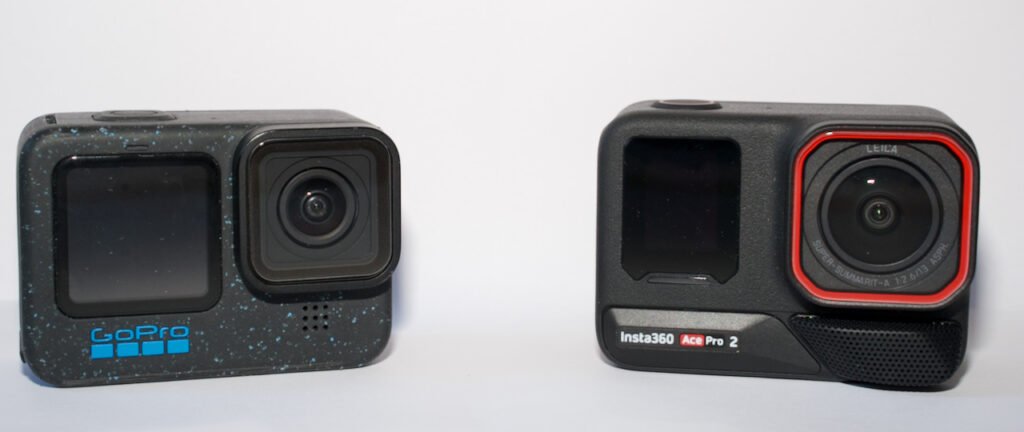
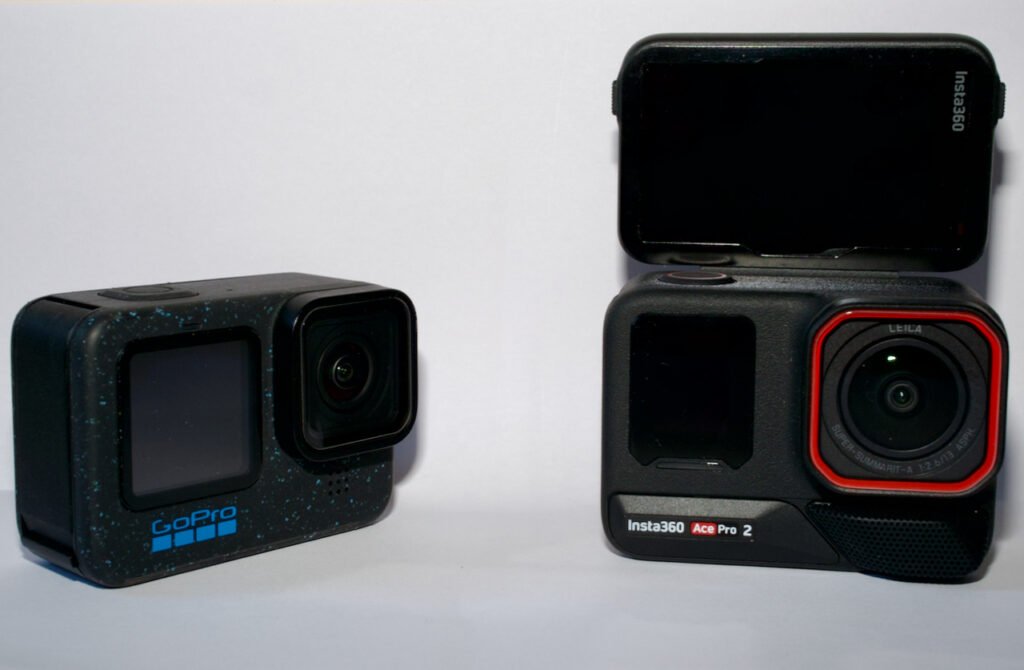
First and foremost, the Ace Pro 2 feels solidly built, maybe even more than the GoPro 12 did. Slot the camera itself into the Explorer Pro mount, and that impression is magnified, the metal frame plus the added weight of the battery in the grip gives the whole package some real heft, but in a nice way.
I anticipate this is the configuration in which the Ace Pro 2 will spend most of its time with me. I also expect it will become a daily carry, sliding into my coat pocket during the winter months when out and about with the dog.
With the GoPro ecosystem already well stocked, it makes perfect sense for competing manufacturers to tap into it. Consequently, I’m able to utilise a good portion of my existing grips etc with the Ace Pro 2, as it’s equipped with a magnetic coupling underneath to which you connect the usual two pronged GoPro bolt mount.
What’s missing compared to the Hero 12, is a photo industry standard 1/4″ screw socke in the camera base. So another magnetic mount adaptor is in the pipeline which offers this and a flip-down GoPro bolt mount, as I’ve a couple of bits of kit that are 1/4″.
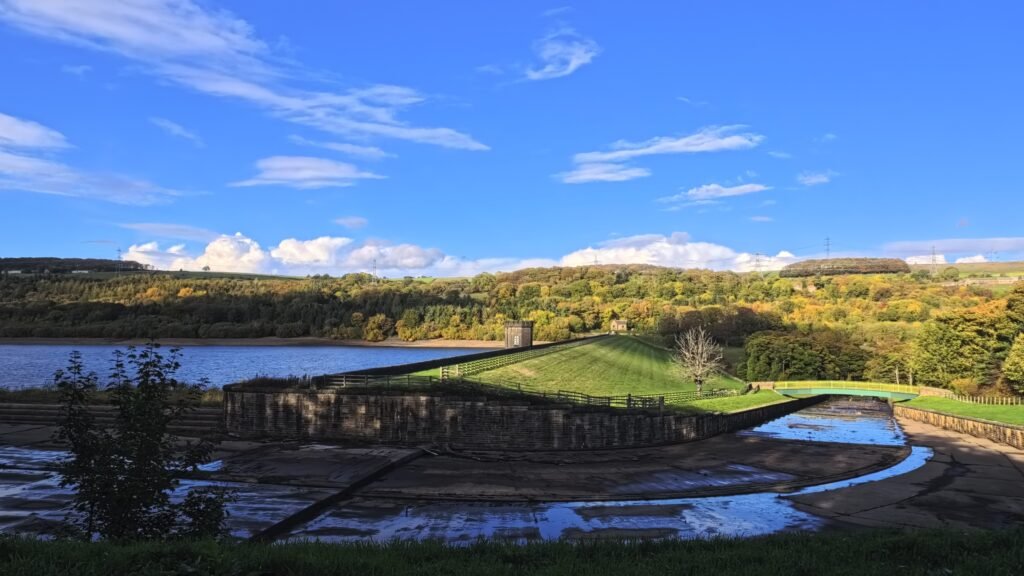
Insta360 brought Leica onboard to provide input into both lenses, colour science and sensor settings. How much real involvement this is and how much is being able to apply the name to a camera lens and a few settings, is an unknown, but certainly the image quality from the few frames I’ve taken is impressive, even for a 1 /1.3″ sensor.
Regardless, this sensor is 50MP, nearly double the 27MP of my Hero 12 and the Ace Pro 2 dual processor setup will do 8K, plus the usual multiple varieties of 4K, slo-mo, etc. Added to this is a range of video settings which I readily admit I am not familiar with, but plenty of others seem to be excited about, so they must be good.
On the stills side, images can be saved as RAW regardless of other settings, and there’s a range of alternative colour profiles (which only save as JPEG) as well, much like the film simulations offered on my Fujis.
What is very noticeable here when trying to save 50MP stills, is the time taken to write to the micro SD card, and while you’re doing it, you are stuck, you simply have to wait until its done. My memory cards aren’t quite cutting edge in terms of write speed, but they’re not that far behind, so I can’t see replacing them making much difference.
I also doubt the write speed could be improved with a firmware update, so if you anticipate taking sequential photos, setting the camera to 12MP is your only option.
It’s the availability of not one but two grip/frames/mounts, call them what you will, that turns “just” an action camera into something more.
The standard “Explorer grip” is simply a frame with a grip and basically a lever slotted into the cold shoe on top of the camera, which presses down on the camera shutter button, and acts as a big shutter button. The advantage here being there’s no electrical connection to the camera itself, so this remains waterproof, down to 12m, and certainly capable of withstanding a few theme park rides I could mention.
The second grip is the “Explorer Pro” and some serious thought has gone into this one as it makes the Ace Pro 2 highly usable as a stills camera. It also provides a much more natural feel when taking videos for those of us who are predominantly stills orientated.
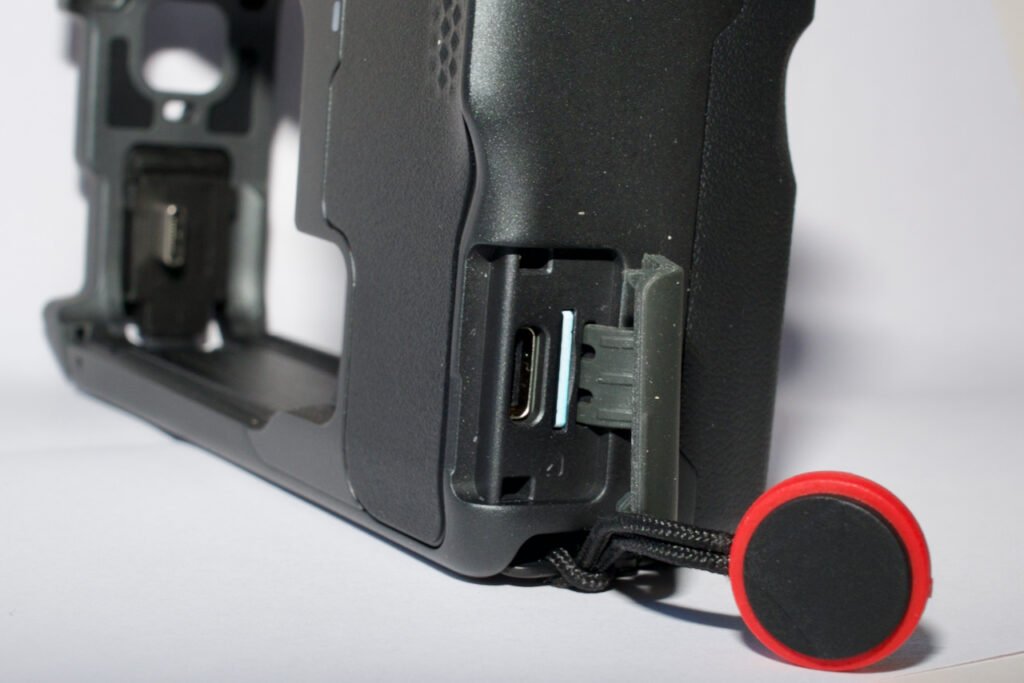
Where it differs from the non-Pro version, is a USB C connection to the camera. By detaching the door that seals the memory card slot and USB C port from the outside world on the Ace Pro 2, siding the camera body into the Explorer Pro frame, you then connect via a flexible USB C connector before clamping the frame shut. This allows the grip to offer much more than just a shutter button and a chunky hand grip.
The grip itself has a 2100 mAh battery built in, on paper providing about 5 hours of camera run time, depending on settings. I’m not convinced about this as yet, it certainly didn’t last anything like that long when out and about testing things. So an update on this will come later.
The shutter button is on the top-front of the grip, so the normal place your index finger falls on most modern cameras, while below that is a zoom lever, again fairly standard on many conventional compact zoom cameras. On the top rear is a thumb operated control wheel, which can be assigned to a number of functions from within the camera settings.
One option especially is great for stills photography, with the control wheel set to adjust to shutter speed, effectively giving you a shutter priority camera. Another good option is leaving the camera in auto mode and allowing the control to change the presets, you just concentrate on framing the scene.
Also on the top of the frame is the customary cold shoe mount for lights or microphones, and with that in mind, there’s also a 3.5mm socket next to it to plug one into. This makes it perfect for attaching my Godox Alink transmitter. On the bottom of the grip is Insta360’s usual magnetic mount to attach to sticks, tripods or whatever.
Other than the slow write speed, the only other negative points I’ve noticed so far are very minor. The rubber cover on the Explorer Pro frame that covers its USB C port and also a slot to keep a spare micro SD card in, has a habit of catching on my thumb and opening. So perhaps as well the card slot is one of the sprung retaining types. The grip also seems to get warm when in use, as it powers the camera until the battery expires, when you get a waring that you’re on internal battery.
The Ace Pro 2 also has a party piece that worries some people, because it’s something else to break, but it’s a really neat idea as well. The main LCD screen can be flipped up 180 degrees, making it much easier to frame yourself when speaking to camera. With my engineers hat on, the hinge feels very solid, and the flexible connector to it from the camera body is rubber covered to keep out the elements. I’m also pretty certain the materials used for the flexible cables have improved greatly since my days of replacing them regularly on countless laptops.
While talking about the LCD screen, an add-on that came in the videography bundle I bought, is a magnetically attached metal folding screen (Magnetically only after you’ve stuck the base plate onto the LCD surround!) This is great for when you’re trying to shoot in bright sunlight, and a problem I used to get when using my Olympus E-P2 years ago, and even with the vary angle screen on the Sony ZV-1, you struggle to see the thing.
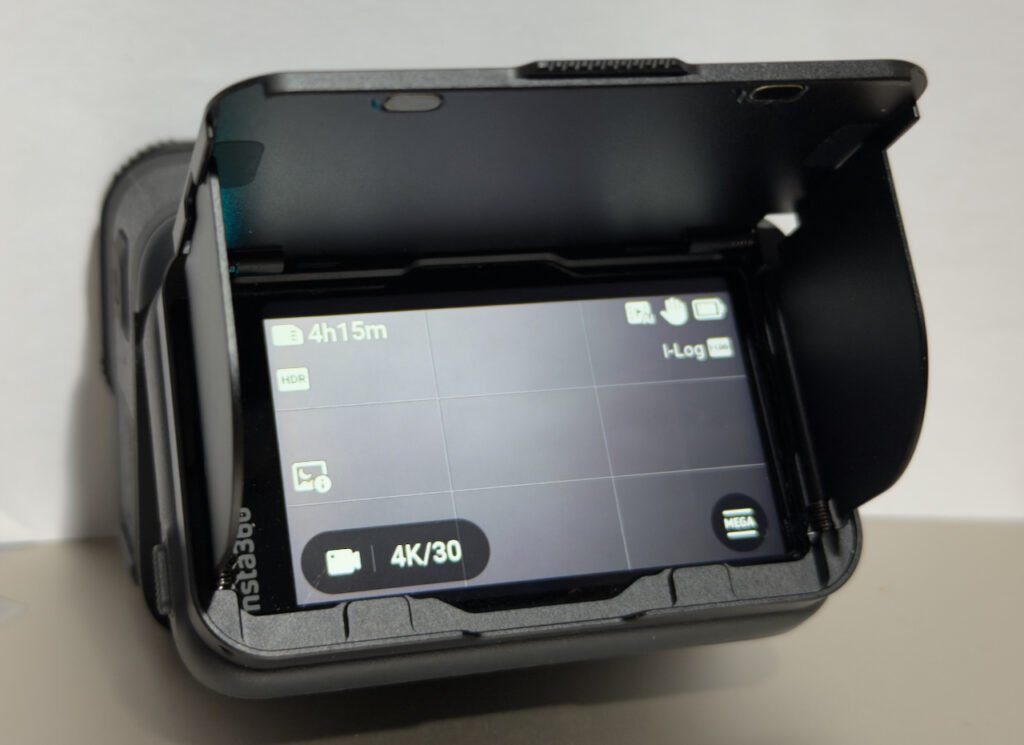
Folded flat when not in used, the sun shield also makes a handy screen protector!
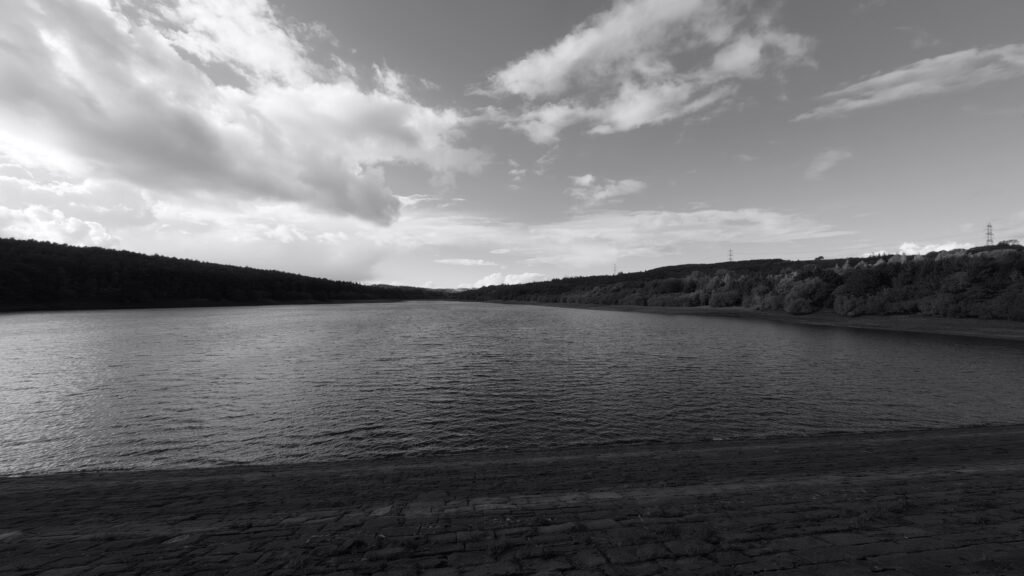
In addition to the standard lens that comes with every Ace Pro 2, the videography kit came with the Cinematic lens. The technical term for this is an anamorphic lens, and it gives you the classic widescreen filmic look, without weird object curvature you can get from a normal wide-angle, or especially ultra-wide angle lens.
This lens also does odd things with light sources, producing horizontal lines of light, so something to try when the opportunity arises.
As there’s no electrical connection between the camera body and the lens mount (difficult to fully waterproof for starters), you have to go into the camera menus, into lens master section and tell the camera software what you’ve fitted. The same applies if you’ve attached either the macro/close-up or the ultra-wide lenses that are also available from Insta360.
Having had Max Lens Mod 2.0 for the GoPro and hardly used it, I’m not 100% sure I’ll buy the ultra-wide for the Ace Pro 2, but the macro lens is top of my list of add-ons to consider. As others have pointed out, the minimum focusing distance for the standard lens is a little on the long side, even I’ve noticed with a couple of the shots I’ve already taken. This problem is more concerning to to the vloggers, in that you need the camera further away from you than an average arm’s length when shooting to camera, or you look a touch on the soft side when it comes to focus.
You also have to think that there’s a couple of lenses currently missing from Insta360’s current sales list. One is a telephoto of some sort, though I suspect the use case for this could be a little limited, so maybe not. But the other would be something that gave you the classic street photography look, so between a 35mm or 40mm full-frame equivalent.
With this attached to what is, even with either grip fitted, a very compact camera body, the moveable LCD screen allowing you to do “I’m not taking photos” waist-level compositions, Insta360 would make themselves very popular.
Aside from lenses, there’s a range of other accessories to broaden the abilities of this little power house. A set of press-on ND filters, along with a polariser to fit the standard lens which could be useful, usually for keeping the ISO down in bright sunlight, with a similar set also available from the usual suspects like K&F Concepts. Naturally, there’s an array of selfie-sticks, extending tripods and the like, as well as a dedicated dive case allowing you to take the camera down to 60m.
What has also been released is a bluetooth printer, much like Fuji’s Instax series or Canon’s Selphy, but smaller. This can either be mounted under the Ace Pro 2 via the magnetic mount, turning the assembly into a faux old-school Polaroid. Or you can sit to one side and print to it there and then, or later. You can also connect to it from the Insta360 app available on iOS and Android.
More details on this device once my used version arrives!
Needless to say I’m impressed with the Ace Pro 2. Good though the GoPro Hero 12 was, and doubtless the Mission One I was looking at would have been, especially with the 1″ sensor. But to me, it feels like Insta360 have put more thought into the camera as a complete system, not just a camera with a load of options you can buy.
Naturally, there is still that element, but there’s more integration(?). It’s the way the screen menus work and are organised and a lot more options within them, more thought to using the camera for stills, maybe courtesy Leica, the grips, effectively a waterproof one and a dry use one. Admittedly GoPro have released something similar for Mission 1, but it’s the equivalent to the standard Explorer, not the Pro.
As ever in this industry, there’s rumours of what’s coming next, logic says an Ace Pro 3 with a 1″ sensor, I’ve no idea. But that will place it in the same price bracket as the Mission One is and I don’t take enough video to warrant it. While if I want serious stills, I can pull out the X-T5 or the X-E5 for that matter.
That’s it for Part 1. I’ve more to learn, photos to take and video for a change. I really want to be able to be creative with this device, preferably by the time we fly out of LHR in February.